Word count: 2449. Estimated reading time: 12 minutes.
- Summary:
- The portable monitor and secure encrypted USB drives arrived from Aliexpress, being carefully unpacked by the recipient. The glossy display was revealed to have excellent viewing angles, thanks to its IPS panel, while the integrated stand proved sturdy and well-made. The device’s performance was satisfactory, with no stuck or dead pixels found during testing.
Friday 19 December 2025: 12:26.
- Summary:
- The portable monitor and secure encrypted USB drives arrived from Aliexpress, being carefully unpacked by the recipient. The glossy display was revealed to have excellent viewing angles, thanks to its IPS panel, while the integrated stand proved sturdy and well-made. The device’s performance was satisfactory, with no stuck or dead pixels found during testing.
I’ve assembled that 3D printed model house from eighteen months ago, I just need to solder in the electrical wiring and then it’ll light up. Expect to see that showed and told here with photos!
I’ve had an idea about using QR codes to securely store secrets. Expect a post on that in the next few weeks.
Finally, the builder produced an updated quote which incorporates the final and complete insulated foundations design from the engineer. Which means I can at long last write a new post on the house build which actually represents forward progress!
But those are for the weeks to come. Today – and I must admit I am rather under the weather as I type this due to a sore throat (and I was up most of last night sweating with a fever) so I’m wanting to write an easy and unchallenging post – is a show and tell on the portable monitor and secure encrypted USB drives.
The HGFRTEE B135-SZQ06L1 portable monitor
HGFRTEE is one of the two big ultra cheap portable monitor ‘brands’ on Aliexpress – they’re slightly more expensive than ZSUS who appear to ship more volume due to being the absolute cheapest. But I went for this specific model for these reasons I outlined last post:
You can get a 1080p portable monitor with IPS panel for under €50 inc VAT delivered nowadays. Madness. But reviewers on the internet felt that for only a little more money you could get a higher resolution display which was much brighter and that was better bang for the buck. I did linger on a 14 inch monitor with a resolution of 2160x1440 for €61 inc VAT delivered, but it was not an IPS panel, and it didn’t claim to be bright (which with Aliexpress claims inflation meant it was really likely to be quite a dim display). It also didn’t have a stand, which felt likely to be infuriating down the line.
I eventually chose a 13.5 inch monitor with a resolution of 2256x1504 which claims to be DisplayHDR 400 capable for €83 inc VAT delivered. That has 64% more pixels than a 1080p display, so it should be quite nice to look at up close. To actually be able to put out 400 nits of brightness I think that ten watts of power from USB feels extremely unlikely, so assuming it actually is that bright it’ll need extra power. It does have a decent built in fold out stand, so for that alone I think the extra money will be worth it.
And here it is:
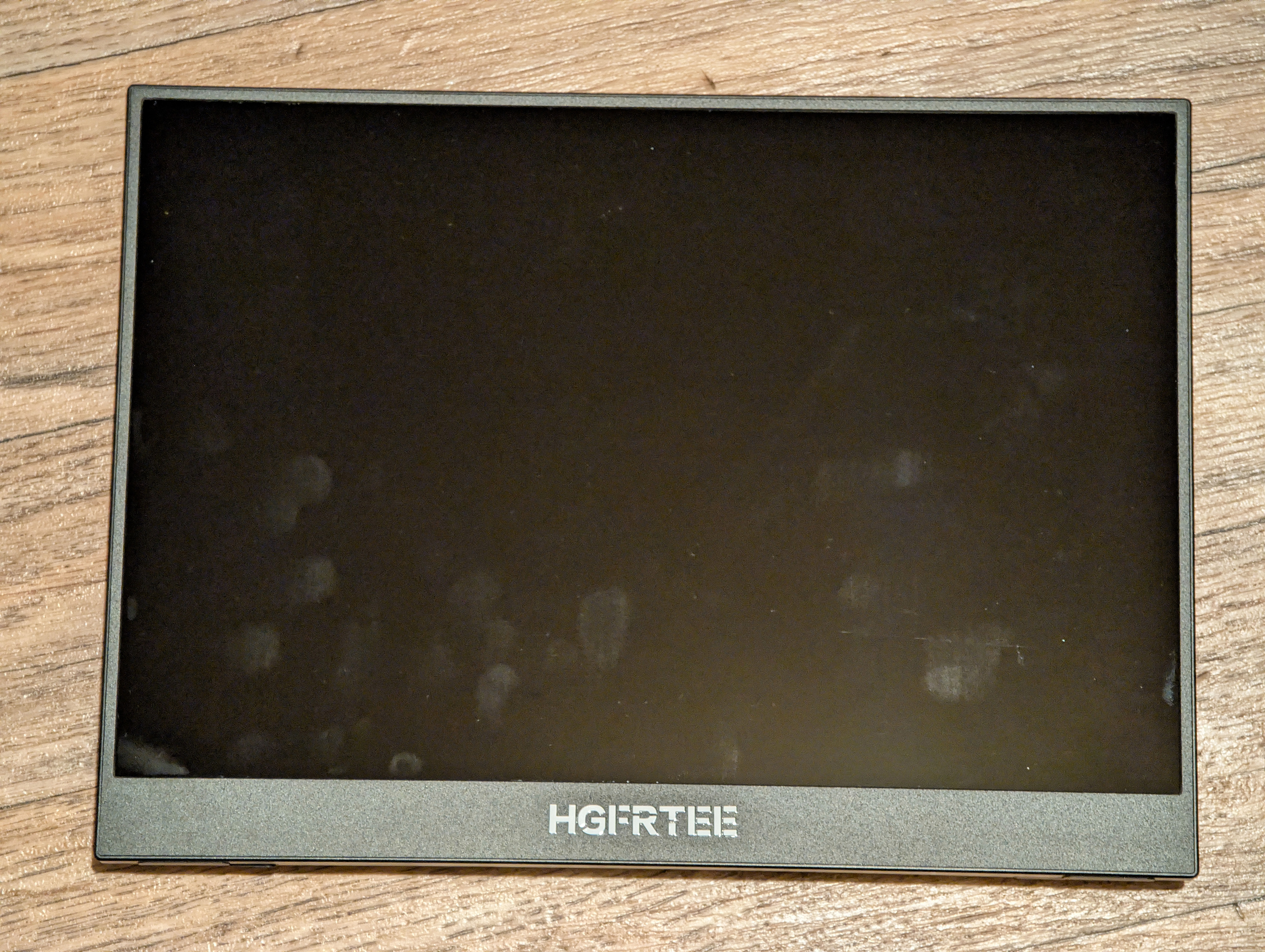
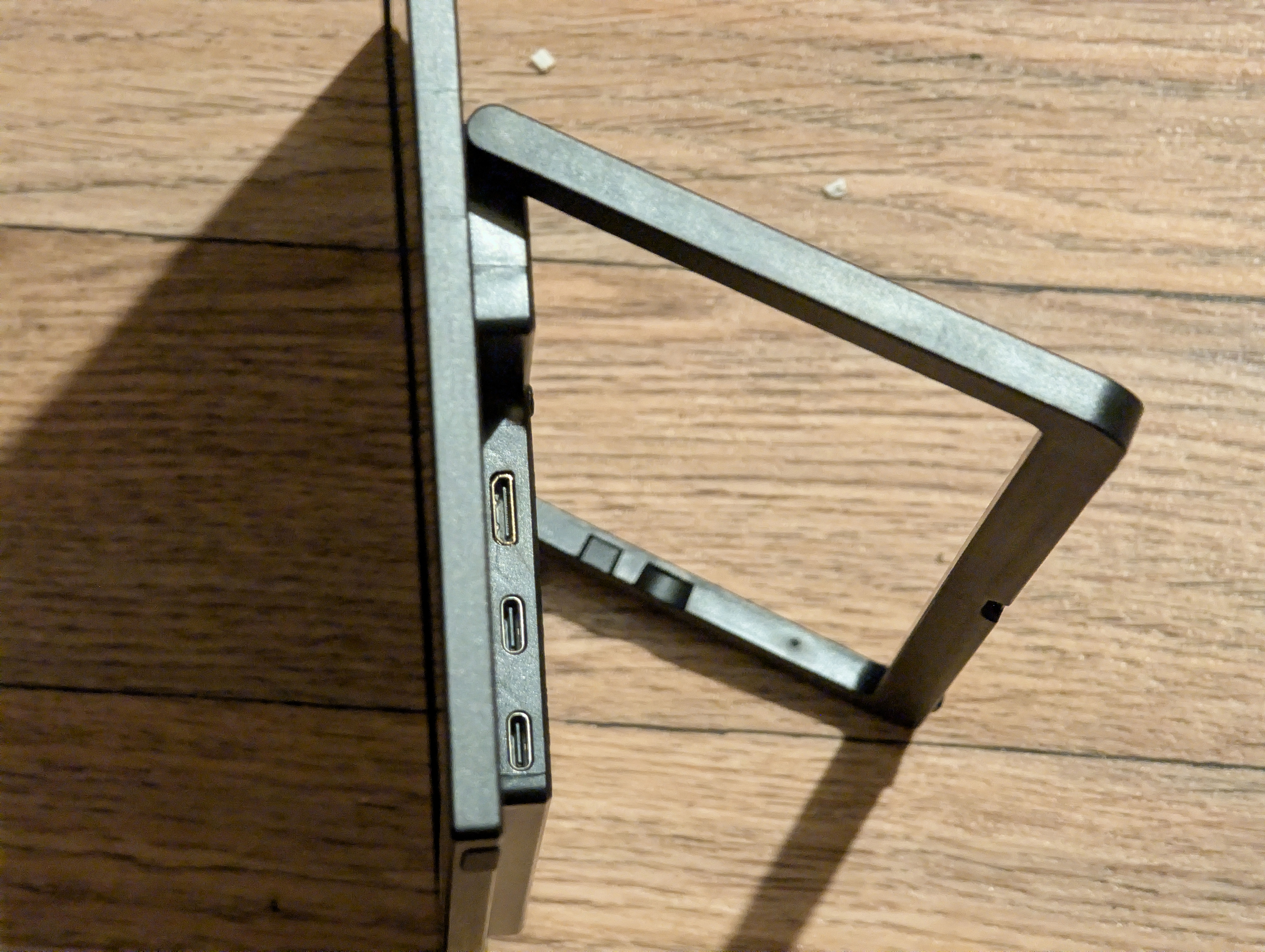
As you can tell from the fingerprints, this is a glossy display, not the matt display which the Aliexpress listing claimed. This was a worrying initial impression during unboxing as some Aliexpress items can deliver something quite far from the listing claims. At least the integrated stand is indeed sturdy and well made, though the case is cheap plastic as you’d expect at this price point (and the USB-C sockets are not as robustly attached as I’d prefer). Things got better when I plugged it in:
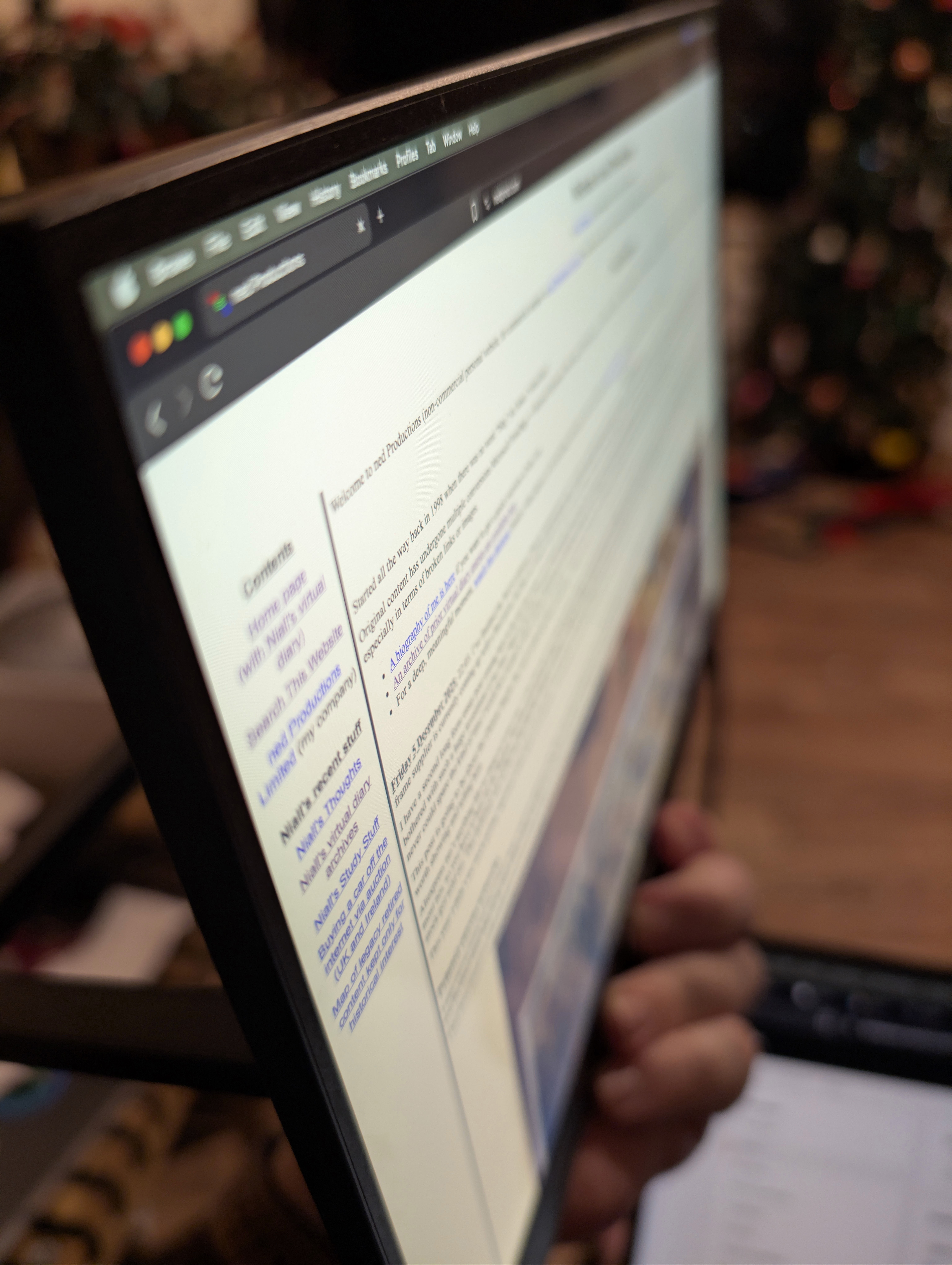
Those excellent viewing angles are exactly as described, and are only possible with IPS or OLED panels. The native resolution is definitely 2256x1504 which is a 200 dpi display – not far from the 250 dpi density of my Apple Macbook Pro. Neither holds a candle to my phone’s 500 dpi display of course, but you won’t have your eyes only a few inches from a laptop sized display. In any case this portable monitor has fine, detailed, text and images thanks to its high DPI. You won’t see any pixels unless you look hard.
The box bundles a ‘full feature’ USB-C cable, a ‘power only’ USB-C cable, a mini-HDMI to HDMI cable, and the enclosed manual says that there should be a USB-C charger, but that was missing and the Aliexpress listing explicitly said that there would be no USB-C charger (which I assume is due to EU regulations). The ‘full feature’ USB-C cable looks very high quality complete with metal cased plugs and a thick braided cable; the HDMI cable is average cheap cable quality; the ‘power only’ USB-C is as cheap a cable as can exist. The ‘power only’ USB-C cable quality really doesn’t matter, as the monitor only ever draws four watts which means a single USB-C cable on USB 3.0 would be plenty:
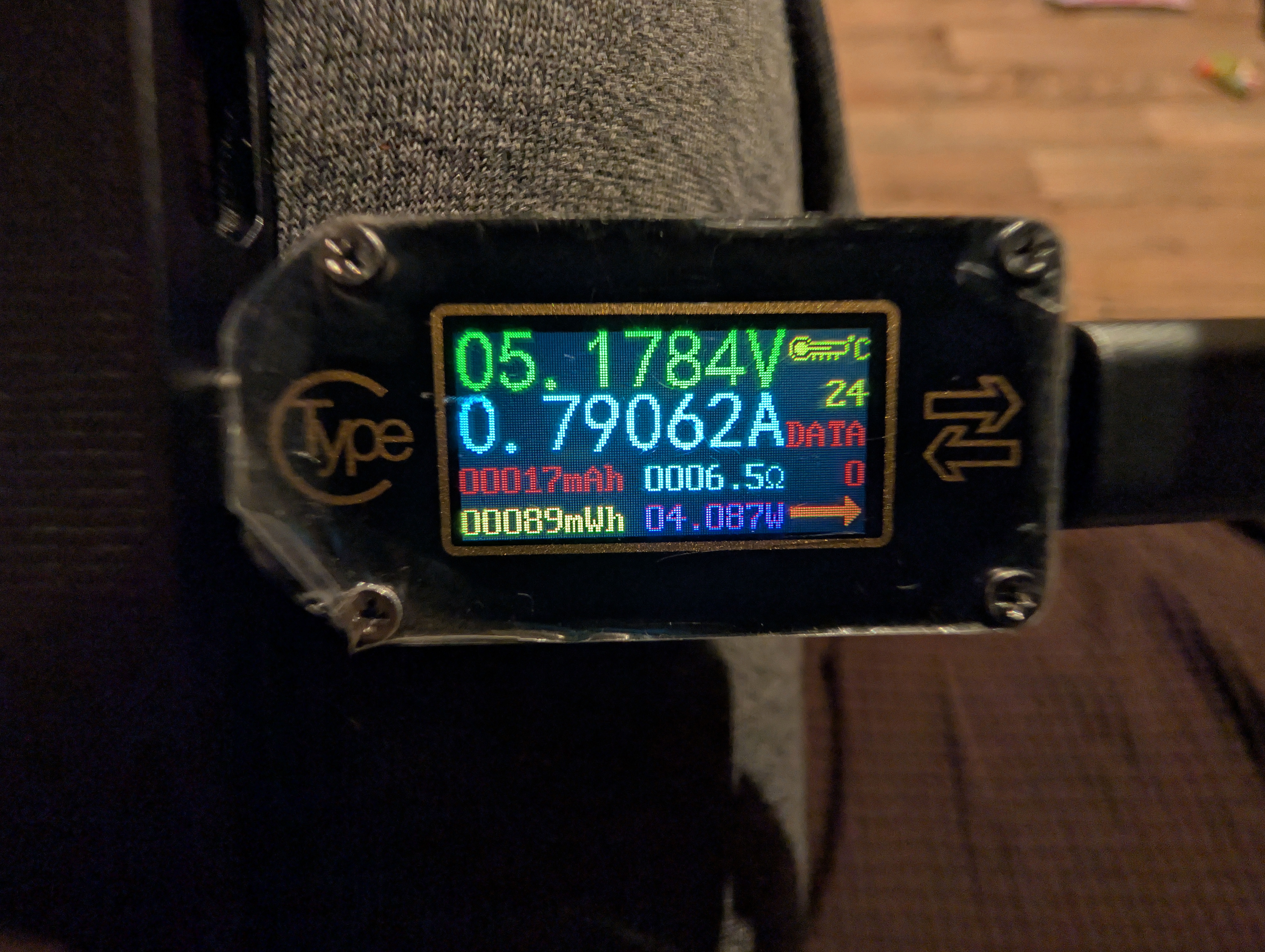
With everything cranked up to max brightness and with the speakers blaring at max volume, I couldn’t make it draw more than 4.2 watts, so well under the one amp power limit for USB 3.0. Note that the monitor’s manual says USB-PD is necessary, and if that’s not present then the max brightness will be severely limited (I therefore infer it won’t draw more than 2.5 watts on USB ports without USB-PD).
Speaking of the sound, this unit has two tinny rear stereo speakers which generate a reasonable amount of sound. It’s enough to watch a movie and perhaps then some. I wouldn’t rate the quality of the audio hugely, there is zero bass obviously, they’re basically cheap laptop grade speakers. I have heard worse though – they are adequate. That said, that ultra cheap tablet I reviewed last post has noticeably better speakers and audio – plus it goes much louder – so the speakers could be better at this price point if they had wanted.
Returning to the display, I tested it for stuck and dead pixels and I found none. Motion of high contrast items leaves a bit of a trail as the LCD clearly isn’t being overdriven. There is a gaming mode in the settings, it appears to make everything brighter by running the LCD less strongly I guess in theory to reduce the time to fade to white, but I didn’t personally see any improvement on motion trailing. All that said, motion trailing was not bad, and I’m being a bit finicky here – my Macbook Pro display also has some motion trailing too in a way an OLED display doesn’t have.
Looking at colour gradients, the panel is definitely six bit colour with FRC to create eight bit colour. If you look very closely you can see the pixels being flipped on a gradient test image. This is entirely expected at this price point, and from a distance colour gradients are smooth and the gamma looks close to correct.
In fact, the only major deficiency on this display is that backlight bleed at the bottom is quite bad:
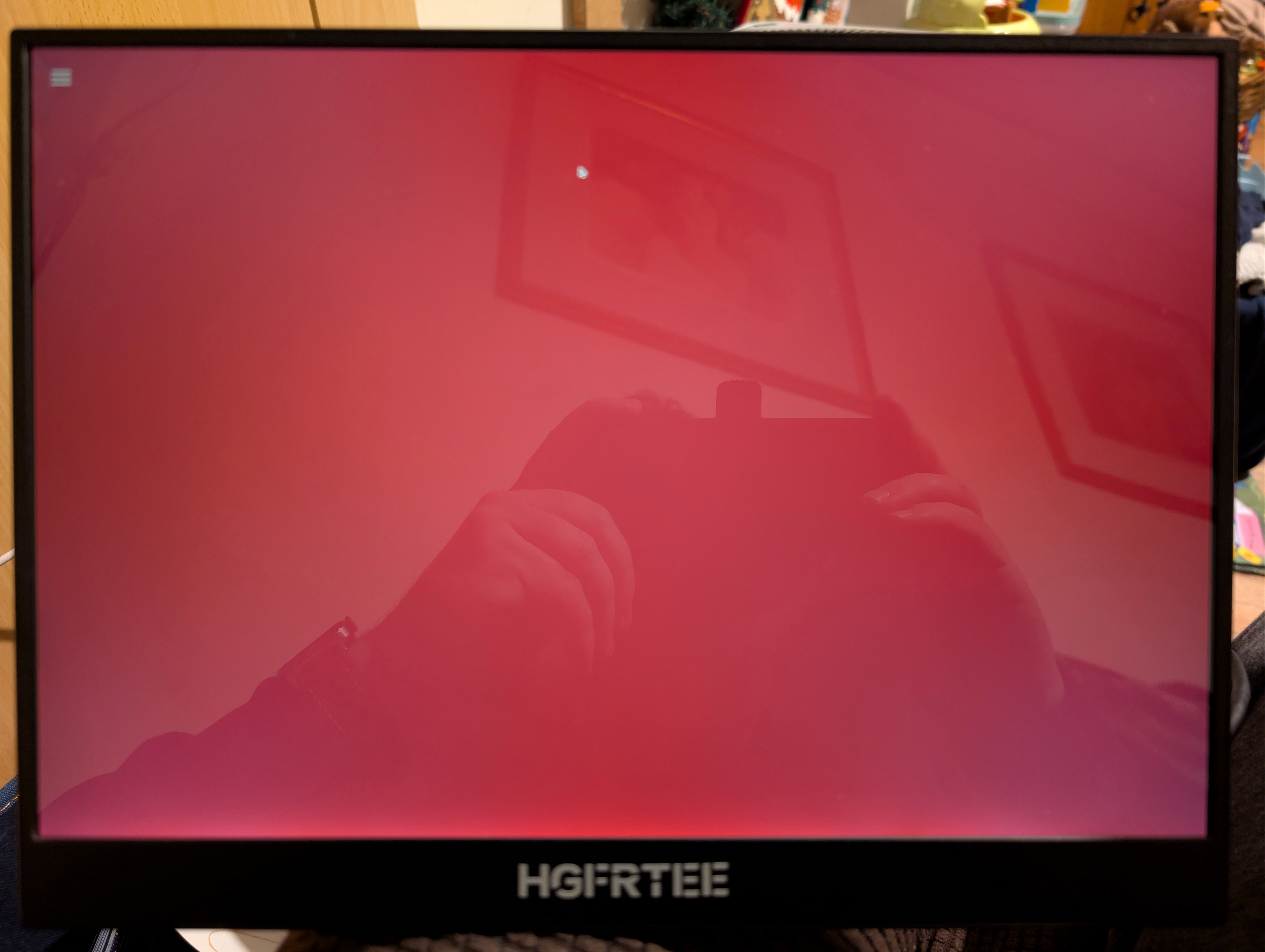
As you can see, the unit has a very glossy finish! This image doesn’t do the bottom bleed justice – it’s a bit worse than the photo shows. It’s a shame as otherwise the display has very good backlight uniformity.
As I mentioned last post, the Aliexpress listing claimed that this display can do HDR. This, to my surprise, turned out to be true – it advertises itself as HDR capable to connecting outputs, and when you flip on HDR it does make a very reasonable attempt at displaying HDR, albeit with a mild green tint which I assume is because the panel is better at greens than reds or blues so they moved the white slightly towards green to extract more range from red and blue:
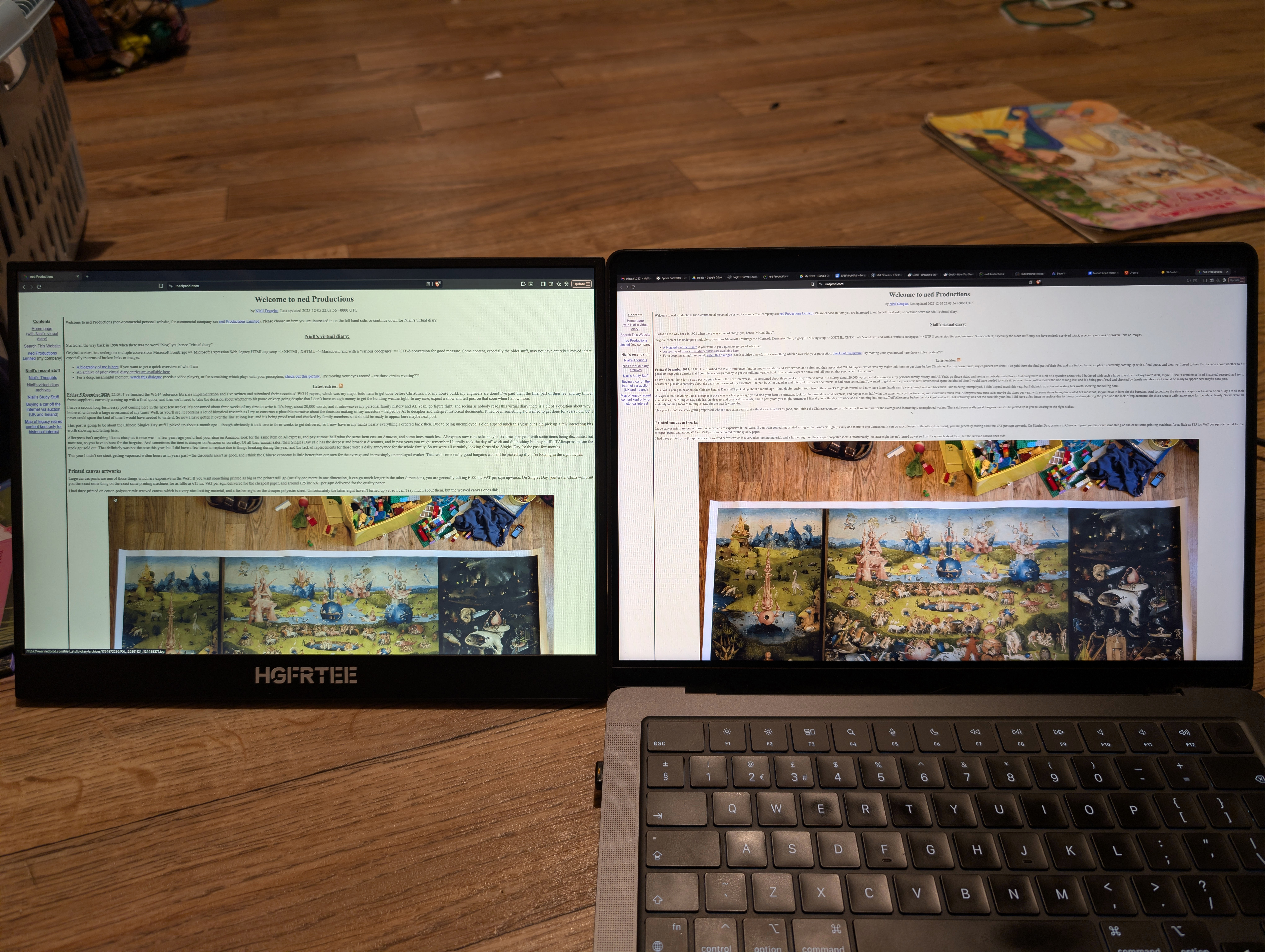
Just to be clear, that green tint doesn’t appear in SDR mode, only in HDR mode. And yes, this portable monitor is actually a very similar brightness to my Macbook Pro’s display, I would estimate about 400 nits rather than the 500 nits that the listing claimed, but 400 nits is not bad at all at this price point.
The Macbook Pro has one of the best non-OLED displays currently available, and no this ultra cheap portable monitor is not as good. But it makes a fair stab: this is both displays rendering a HDR test video:
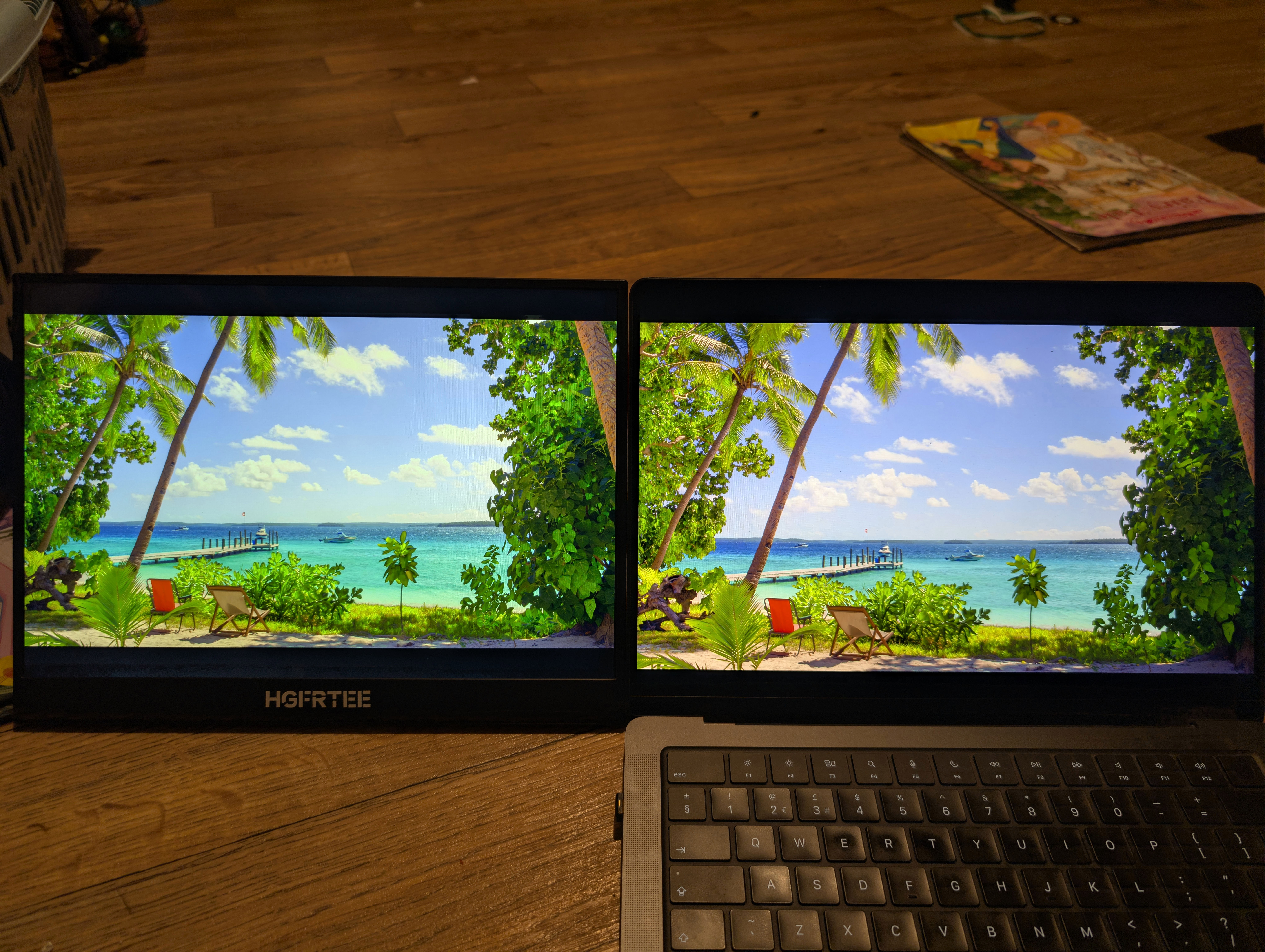
That is very good for €80 in my opinion. But that image happens to play to this monitor’s strengths, another HDR test video looks less good on the portable monitor:
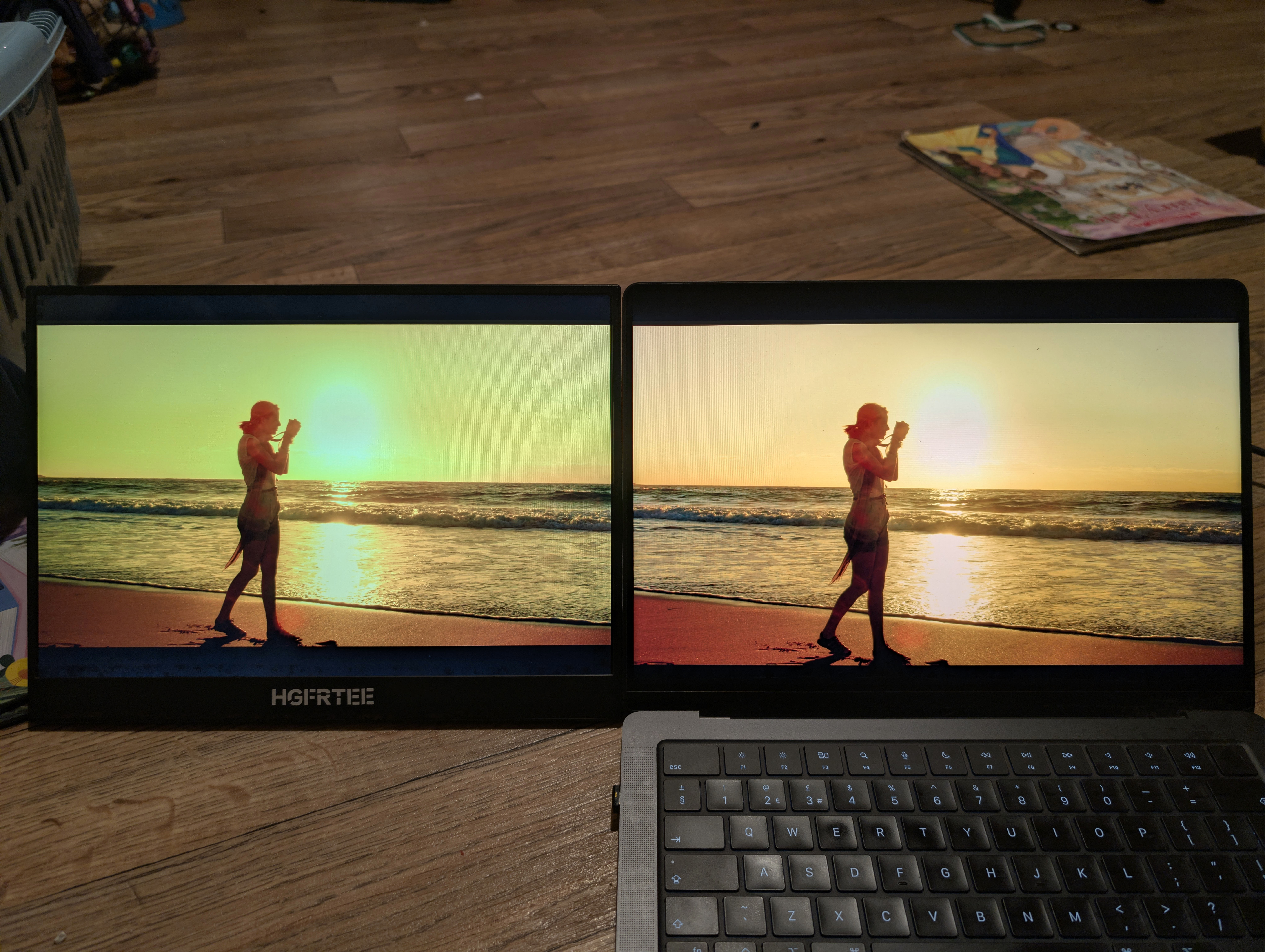
Here the green tint is obnoxious against the yellows, whereas in the previous image it clashed less with the blues.
There was a claim that this display could render DisplayHDR 400, and I think from my testing I’d accept that claim – it gets bright enough, and it definitely covers all of sRGB. It was also claimed that the display can render 97% of NTSC – that is definitely not the case, the NTSC colour space is larger than DCI-P3 and absolutely no way does this display cover more than a portion a bit outside sRGB.
This display reminds me a lot of the panel that was on my Dell XPS 13 laptop from 2019. That panel could render more than sRGB, it could go quite bright, and yes it was better than a SDR display. But wasn’t capable of getting more than part of the way towards DCI-P3 of which the Macbook Pro’s display can render 99% coverage. Watching HDR movies on that old Dell laptop often had you wondering if what was being rendered was so clamped by gamut limitations that it might be better to watch an SDR edition of the movie instead. This display is better than that: if this portable monitor didn’t have the green tint, I think I’d always use it in HDR mode. But, it does have that green tint, so I will only ever use it in SDR mode where the colours aren’t all slightly green. I never expected to be watching movies on it anyway – why would you if you have a Macbook Pro? I had just been curious if an eighty euro monitor can genuinely do HDR nowadays. And, yes it can! And I’m very pleased with this purchase, it has exceeded expectations and it ticks all the use case boxes for which I bought it.
Finally, I should mention the issue of Android support. Yes the monitor worked in both my Android phones. But neither recognised the native 2256x1504 resolution, and instead sent a 1920x1080 resolution. You would expect the monitor to render that with black bars top and bottom, but it did not – rather, it squishes the picture to fit full screen.
I don’t mind it doing that as a default, but I do very much mind it doing that if there is no config setting to change that behaviour. And I’ve searched its OSD menus, and I can find no such option. It always stretches the picture to fill the screen.
Again, normally that would be tolerable, but this display has a 1.5 aspect ratio i.e. its width is 1.5 times its height. That is an unusual display aspect ratio – only the Macbook famously chooses that aspect ratio because it is considered ideal for productivity. Traditional computer displays had an aspect ratio of 1.25; standard TV 1.33; wide screen TV 1.78 (such as 1920 x 1080); and films 1.85. In other words, almost every device out there apart from a Macbook will not be using a 1.5 aspect ratio.
If your hardware understands the native 2256x1504 resolution, all will be good. If it outputs something else, your results will be more mixed because your circles are going to become ovals. The display will be perfectly usable, it’s just something to bear in mind.
Secure encrypted USB drive
I’m not sure what else I can add about these in addition to the last post except for photos:
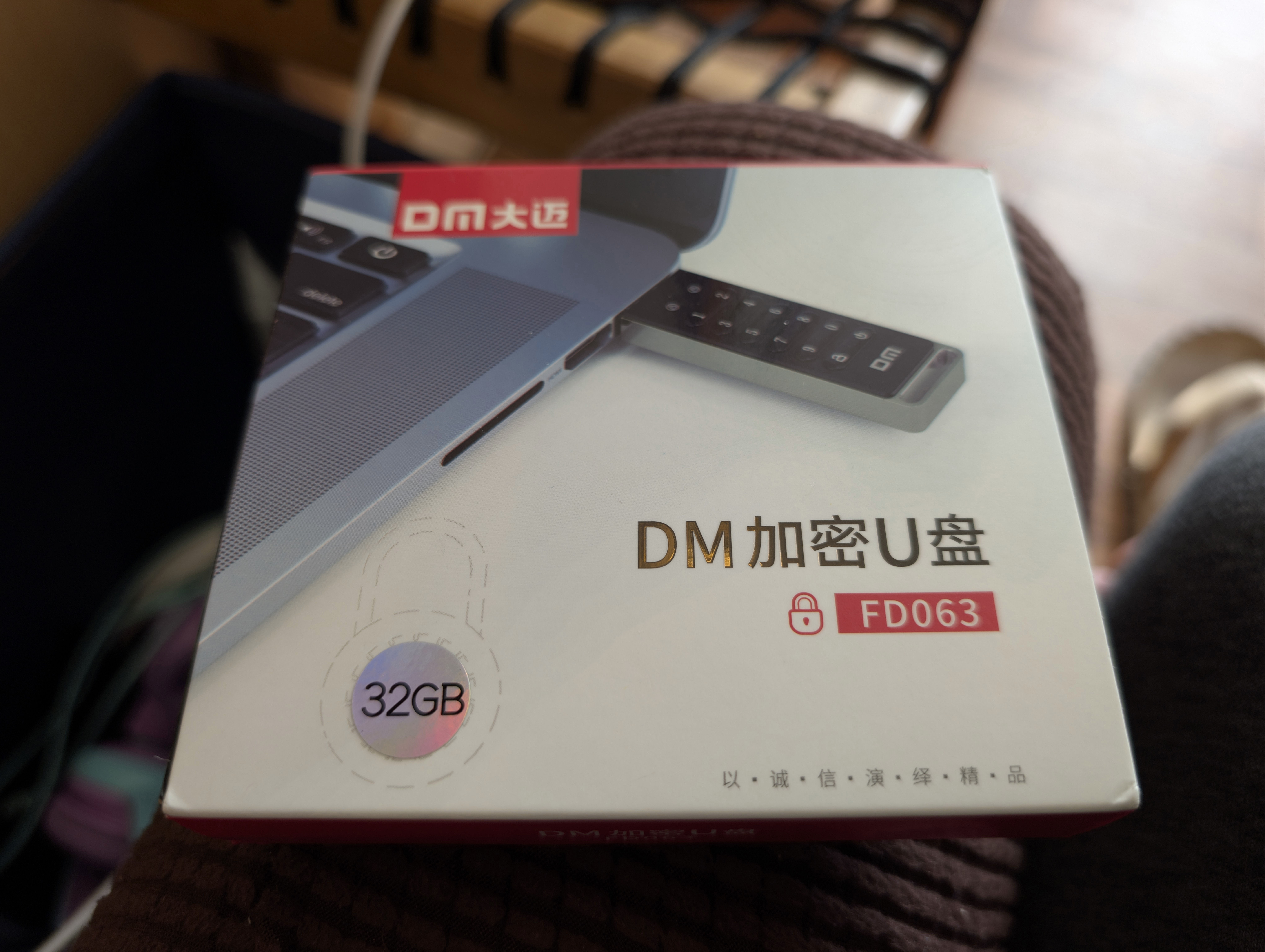
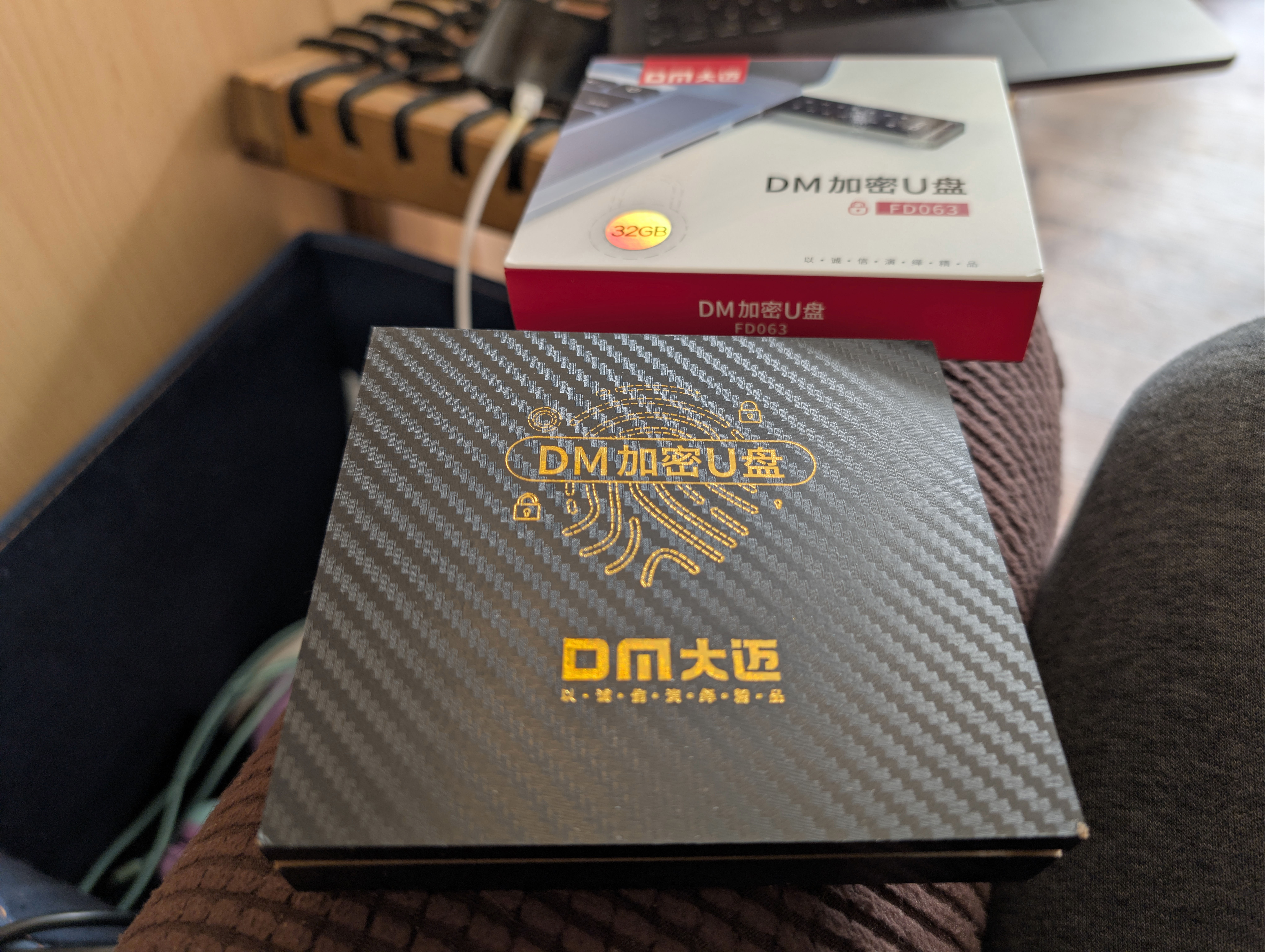
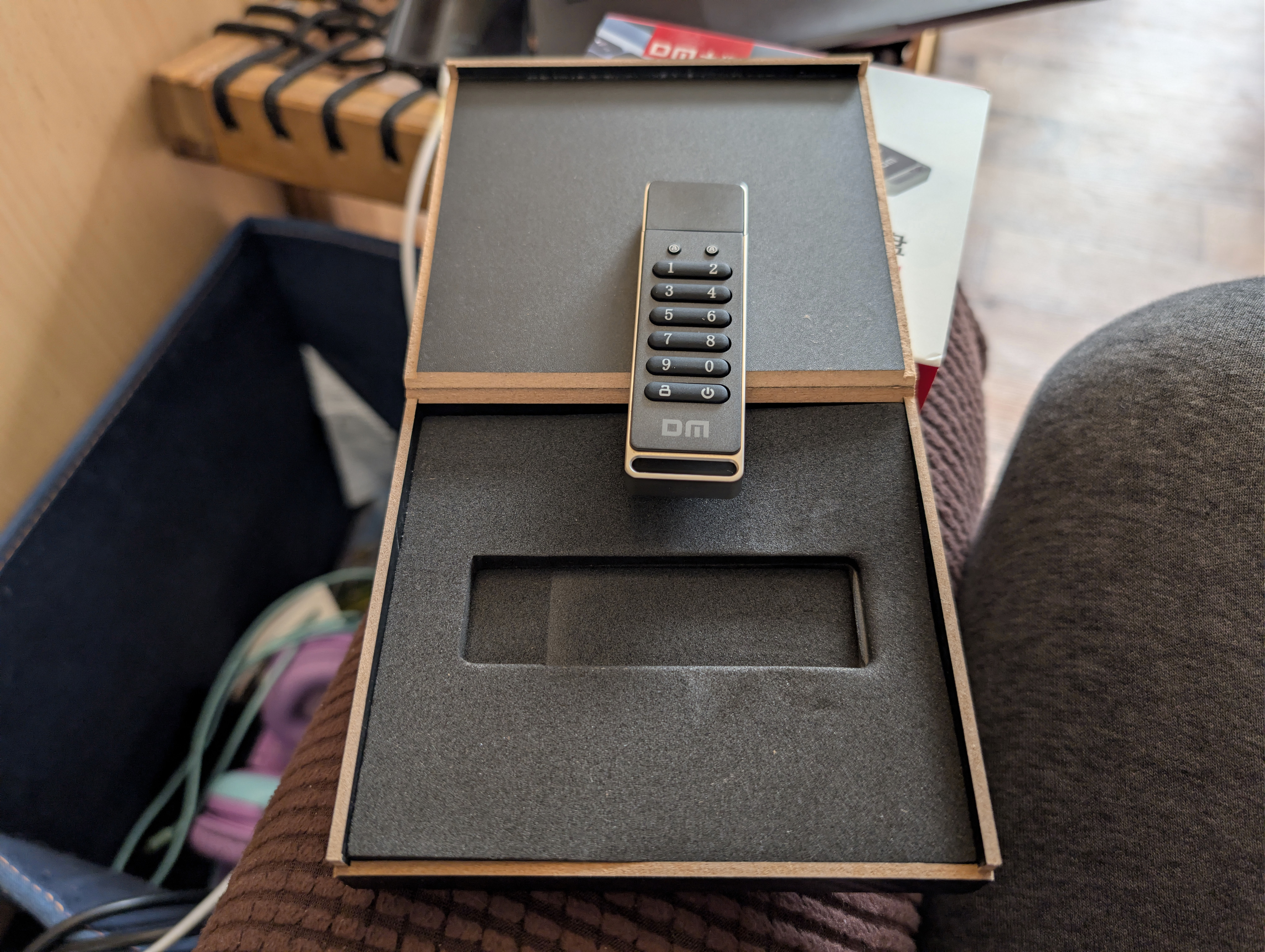
There’s that very nice opening inner box I described last time. The packaging is great, the presentation is great, the USB stick itself feels weighty, very well constructed and solid. There was good reason why I bought another two of these after I saw my sister’s one: I was impressed. They can be had for under €20 inc VAT delivered for the 32 Gb model. Here is the back of its box translated from Chinese into English:
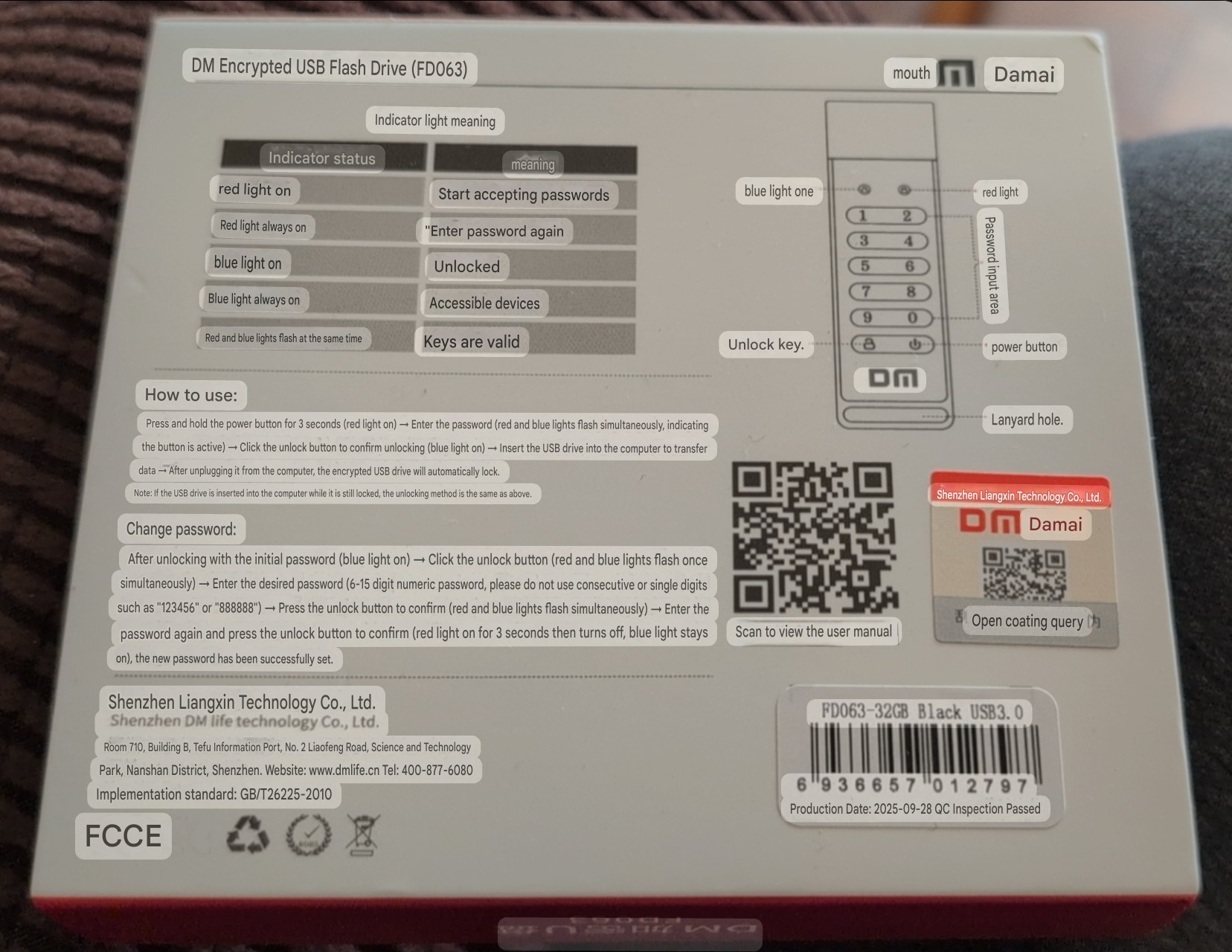
I know we’ve been able to do inline image translation like that for many years now, but I still find myself a bit wowed by it. It would have seemed magical only a few decades ago.
I did a quick performance test and on a USB 3 connection they deliver ~160 Mb/sec for reads and ~40 Mb/sec for writes. Just checking on Irish Amazon right there now, you can get a 64 Gb SanDisk very similar read performance for €12 inc VAT. So in those terms, this drive is expensive. However, if you want hardware encryption you’ll need to spend at least €65 inc VAT, and if you want hardware encryption AND a keypad then you’ll need to spend at least a cool €130 inc VAT for the same capacity. And now this Chinese drive looks great value for money. I gave it some brief battering under i/o loads to make sure it held up, and tested that all 32 Gb of its surface really exists, and both came out absolutely fine. It looks like the real deal.
As with all flash storage, you’ll need to energise it and read all data off it periodically so it can realise what bit flips have occurred and repair them. I just ran into that this week with one of my son’s 8bitDo USB games controllers – I think it hadn’t been powered on in so long it corrupted its flash and now it can’t even boot as far as its bootloader, which means it’s toast. I salvaged the other one by repeatedly rebooting it until I got into its bootloader mode, then I reflashed its firmware and now it appears to be working well again – in any case, don’t leave flash based devices without power for any length of time.
This is exactly what I meant in the last post about the Blaustahl long term storage device – yes the FRAM will last for a century. But the firmware written to the flash of the RP2040 microcontroller used to access that FRAM storage won’t last more than a few years without being powered on. Which renders that entire product proposal pointless in my opinion.
Speaking of which, I have had a bit of a eureka moment about storing things safely in a long term durable fashion using QR codes. But that will be another post.
| Go to previous entry | Go to next entry | Go back to the archive index | Go back to the latest entries |