Word count: 4996. Estimated reading time: 24 minutes.
- Summary:
- The Chinese Singles Day sale has seen deeper discounts on Aliexpress, with some items being discounted but most not, requiring users to hunt for bargains. Despite this, the sale still offers good deals, particularly in niches where prices are lower than those found on Amazon or eBay.
Friday 5 December 2025: 22:03.
- Summary:
- The Chinese Singles Day sale has seen deeper discounts on Aliexpress, with some items being discounted but most not, requiring users to hunt for bargains. Despite this, the sale still offers good deals, particularly in niches where prices are lower than those found on Amazon or eBay.
I have a second long form essay post coming here in the next few weeks! It’s consumed about three weeks of my time to write it. It’s long, about 20,000 words, and it interweaves my personal family history and AI. Yeah, go figure right, and seeing as nobody reads this virtual diary there is a bit of a question about why I bothered with such a large investment of my time? Well, as you’ll see, it contains a lot of historical research as I try to construct a plausible narrative about the decision making of my ancestors – helped by AI to decipher and interpret historical documents. It had been something I’d wanted to get done for years now, but I never could spare the kind of time I would have needed to write it. So now I have gotten it over the line at long last, and it’s being proof read and checked by family members so it should be ready to appear here maybe next post.
This post is going to be about the Chinese Singles Day stuff I picked up about a month ago – though obviously it took two to three weeks to get delivered, so I now have in my hands nearly everything I ordered back then. Due to being unemployed, I didn’t spend much this year, but I did pick up a few interesting bits worth showing and telling here.
Aliexpress isn’t anything like as cheap as it once was – a few years ago you’d find your item on Amazon, look for the same item on Aliexpress, and pay at most half what the same item cost on Amazon, and sometimes much less. Aliexpress now runs sales maybe six times per year, with some items being discounted but most not, so you have to hunt for the bargains. And sometimes the item is cheaper on Amazon or on eBay. Of all their annual sales, their Singles Day sale has the deepest and broadest discounts, and in past years you might remember I literally took the day off work and did nothing but buy stuff off Aliexpress before the stock got sold out. That definitely was not the case this year, but I did have a few items to replace due to things breaking during the year, and the lack of replacements for those were a daily annoyance for the whole family. So we were all certainly looking forward to Singles Day for the past few months.
This year I didn’t see stock getting vaporised within hours as in years past – the discounts aren’t as good, and I think the Chinese economy is little better than our own for the average and increasingly unemployed worker. That said, some really good bargains can still be picked up if you’re looking in the right niches.
Printed canvas artworks
Large canvas prints are one of those things which are expensive in the West. If you want something printed as big as the printer will go (usually one metre in one dimension, it can go much longer in the other dimension), you are generally talking €100 inc VAT per sqm upwards. On Singles Day, printers in China will print you the exact same thing on the exact same printing machines for as little as €15 inc VAT per sqm delivered for the cheapest paper, and around €25 inc VAT per sqm delivered for the quality paper.
I had three printed on cotton-polyester mix weaved canvas which is a very nice looking material, and a further eight on the cheaper polyester sheet. Unfortunately the latter eight haven’t turned up yet so I can’t say much about them, but the weaved canvas ones did:

This is, of course, The Garden of Earthly Delights by Hieronymous Bosch, one of my favourite paintings and probably the best and most famous example of 15th century Dutch surrealist art. The original in the Prado captivated my attention when I first saw it in Madrid twenty-five years ago, and I’ve always wanted a reproduction since. I now have one, but as you’d expect for the very low price, it does come with tradeoffs.
The first is that the source image they used is not as high resolution as would suit a two metre squared print. There is a 512 MP single JPEG edition freely available at https://commons.wikimedia.org/wiki/File:The_Garden_of_Earthly_Delights_by_Bosch_High_Resolution.jpg which would be 437 dpi for my size of print. Yet, looking at it, I’m not even sure if the print is 300 dpi, there is some pixellation in places if you look closely. The Epson SureColor canvas printer can lay down 1200 dpi, so that’s a huge gap between what’s possible and what you get. Also on that Wikipedia page is a 2230 dpi edition, but you’ll need to deal with tiles as JPEG can’t represent such large resolution images in a single file.
I knew about the likely resolution problem before I ordered these – it’s a well known problem with cheap prints from China, and the general advice is you should ask them to do a custom print from a JPEG supplied by you if you want guaranteed resolution. That still won’t fix another issue which is colour rendition – the top of the Hell panel on the right is a sea of muddy blacks with most of the detail and nuance of the original painting lost, and something critical in the original – the brightness and punch of the colours – is completely missing. The print looks dull as a result. The cause is this:
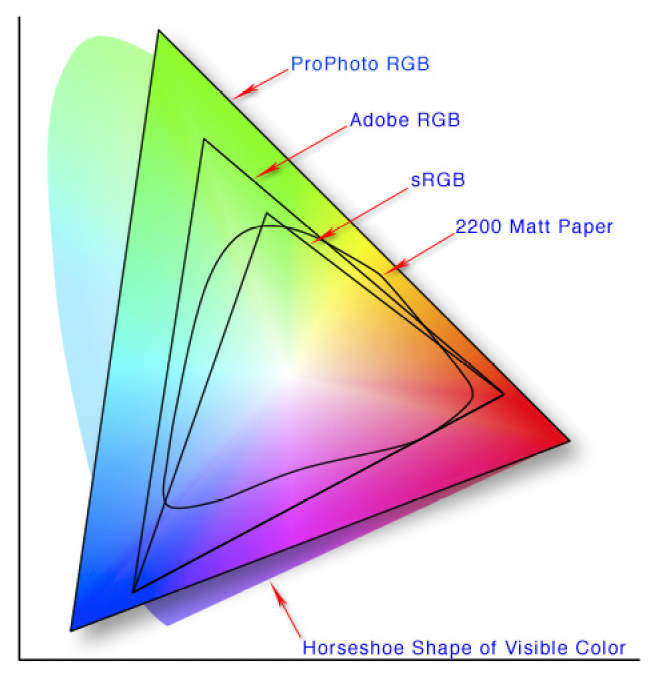

The JPEGs on that Wikipedia page – and indeed anywhere else I’m aware of on the internet free of charge – all use SDR gamut, also known as sRGB. As you can see in the left diagram, high end Pantone based printers such as the Epson SureColor can render in CMYK a lot more greens and yellows than sRGB can, but can’t render as many blues, pinks and greens as sRGB. The second issue is the CMYK vs RGB problem, the first is reflective whereas the second is emissive, and the second picture shows the clamping of bright sRGB colours to the maximum brightness that CMYK can render: reds are generally unaffected, but greens and blues get a much duller rendition. Note that both those pictures above are themselves sRGB PNGs, so they do a lousy job of showing just how much detail is lost to a HDR display (I tried to find HDR images, but Ultra HDR JPEG support remains minimal on the internet and nobody seems to have created a maximum colour space graphic in Rec.2020 yet).
These printing disappointments are a common problem when you take a RGB based photograph of an artwork and then print it using CMYK inks – I remember struggling with it when I was having flyers printed during my time in Hull university – and while it can be mostly worked around if given enough time and patience in trial and error, the better solution is to use a much higher gamut original picture source (typically the RAW image data straight from the camera sensor), and render from that directly to the printer’s CMYK profile with no intermediate renderings. Or, if you absolutely do have to use an intermediate rendering, Rec.2020 does encompass the full Pantone CMYK colour space, and if you only used raw TIFFs in Rec.2020 that could also work okay.
Unfortunately, as far as I am aware the cheap printers from China will only take a SDR gamut JPEG file for custom prints, and that has a maximum resolution of 64k pixels in both dimensions. They don’t want the hassle of dealing with anything more complex at their price point, and I totally understand. One day we might get widespread JPEG-XR support which supports printer CMYK natively, plus has no restrictions on resolution. Then we could get cheap prints with perfect colour reproduction and 1200 dpi resolution. I look forward to that day, though it’s at least a decade away.
10 inch Android tablet
While I was browsing Aliexpress’ suggested deals, I noticed an all metal body ten inch Android tablet going for €39.21 inc VAT delivered. Cheap Android tablets are usually e-waste bad, if you want a decent cheap Android table buy a five year old flagship off eBay. But the all metal body made me do some research, and the user reviews were unusually good for this specific model which is a ‘CWOWDEFU F20W’ (just to be clear, some models by CWOWDEFU are absolute rubbish, some are good bang for the buck like this one – there appears to be no brand consistency). The reason I was curious is because my previous solution to house dashboards in my future house is a touchscreen capable portable monitor attached to a Raspberry Pi running off PoE. That works great, but it’s expensive: the Pi + PoE adapter + case + portable monitor is about €200 inc VAT all in, and the touchscreen is resistive rather than capacitive which confuses the crap out of the kids who aren’t used to those. So, for under €40, I was intrigued.
The specs for this CWOWDEFU F20W costing €39.21 inc VAT delivered:
- All metal body
- 1280 x 800 IPS display
- Capacitive five touch point touch screen
- Quad core 1.6Ghz Allwinner A133 chipset
- 3 Gb RAM
- 32 Gb eMMC storage with sdcard slot
- 5 Ghz Wifi 6 + Bluetooth 5
- Android 11 (Go edition)
- Claimed 6000 mAh battery
- Stereo speakers
- Claimed 8 MP rear camera and 5 MP front camera
- Headphone socket and USB-C
- Weight is under 1 kg
The Allwinner A133 chipset is an interesting one:
- 4x ARM Cortex A53 CPUs, so same horsepower as my Wifi router
- PowerVR GE8300 GPU with 4k HDR h.265 video decoding
- Probably single channel PC3-6400 LPDDR3 RAM, just about enough to play a 4k video and do nothing else.
It’s a good looking, medium quality feeling device:
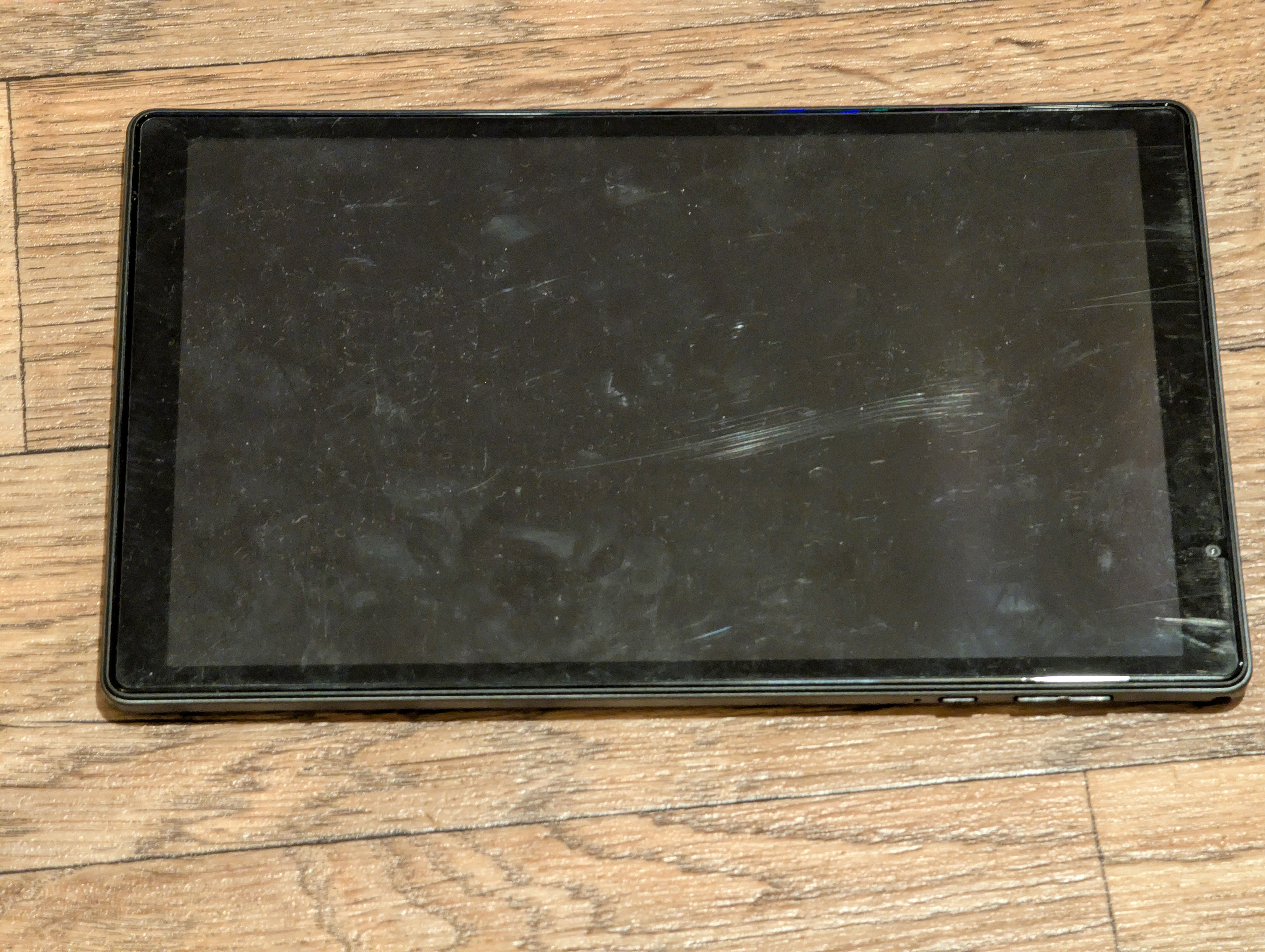
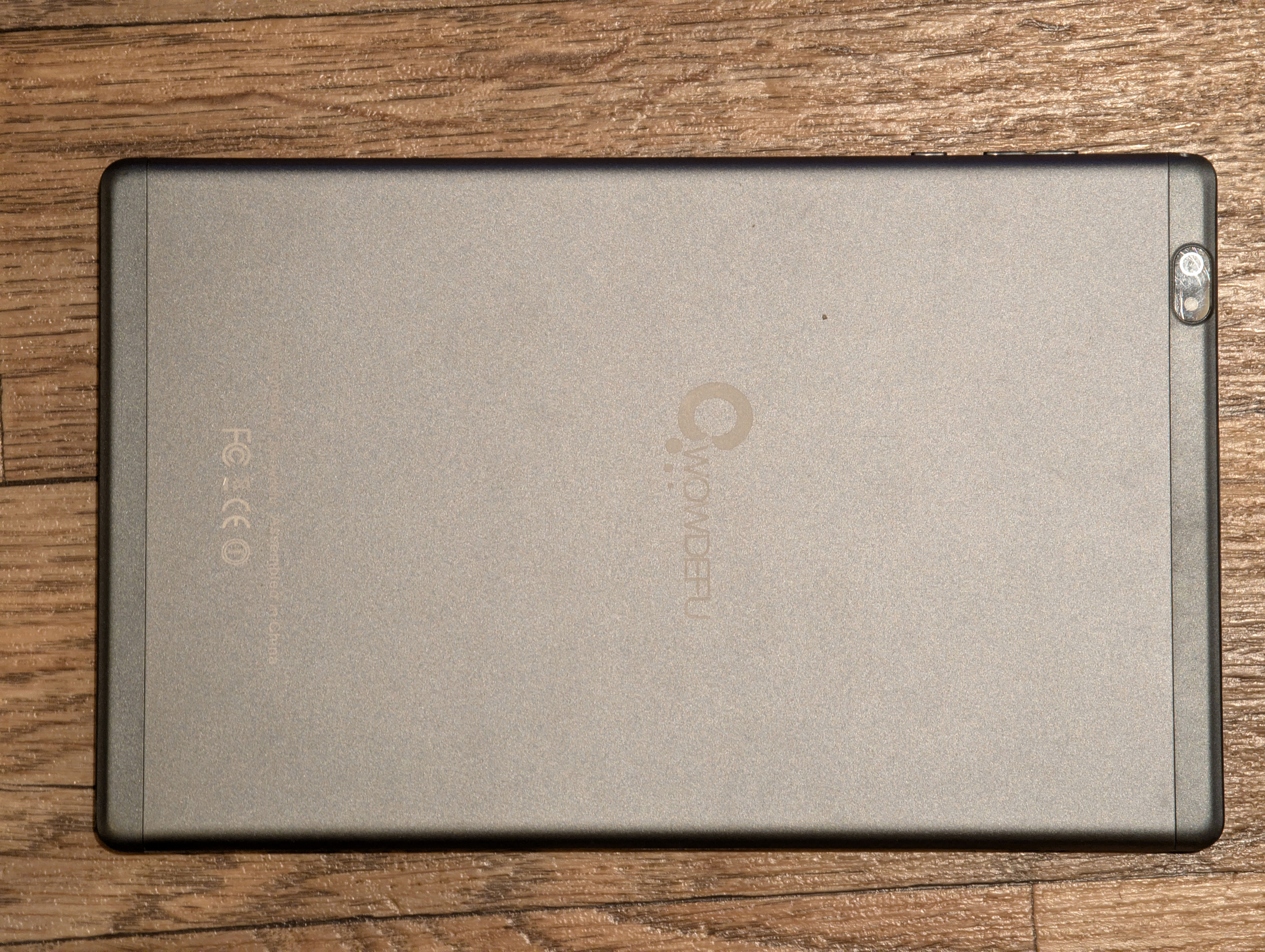
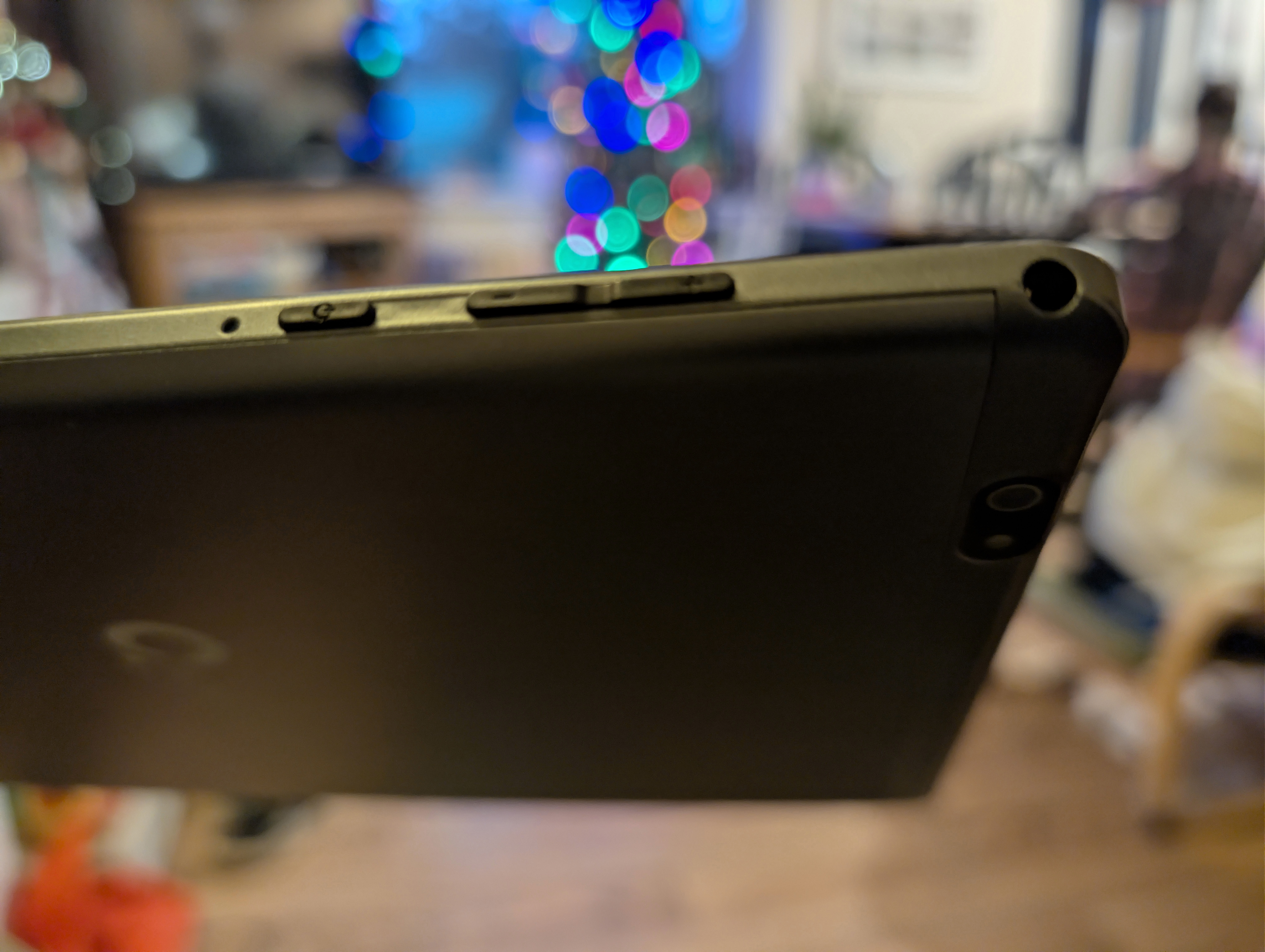
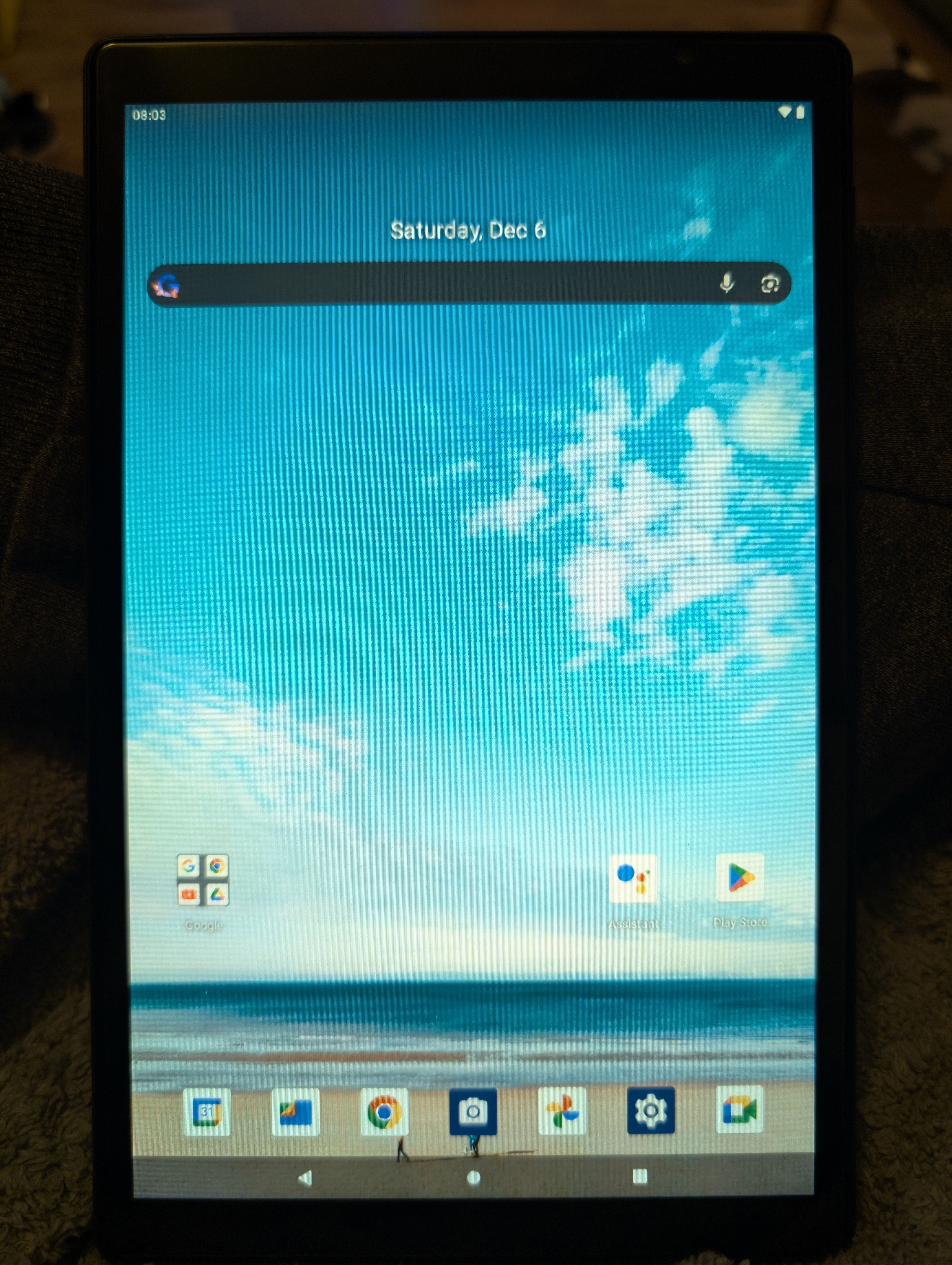
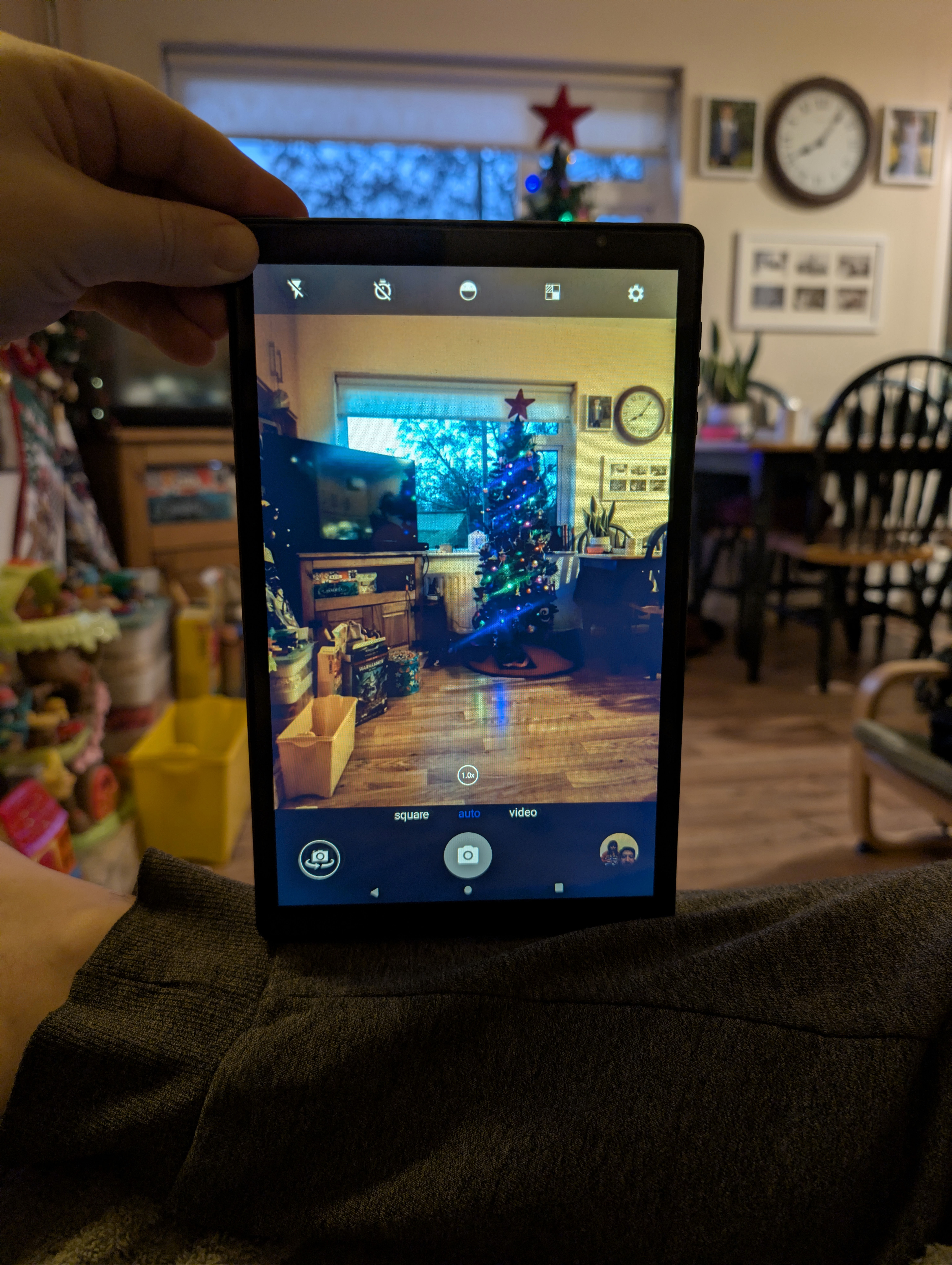
The display is better than expected, it has a fair bit of colour gamut and might actually have all of sRGB which is a nice surprise at this price point. The Wifi 6 connects without issue to my 5 Ghz network and is stable as a rock and works as well at distance from the Wifi AP as my Macbook – also a nice surprise. The speakers are genuinely stereo, correctly handle the tablet being turned sideways and upside down etc, and they’re also both loud and distortion free. I installed Jellyfin and played a few 4k Dolby Vision HDR movies with Dolby Atmos 7.1 soundtracks and it plays those smooth as silk over Wifi, correctly tone mapping to its SDR display. It even displays subtitles without stuttering the video, though we are definitely nearly at the max for this hardware because whilst playing such a video switching between apps takes many seconds to respond. Though, it does get there, and switching back to the Jellyfin app does work, doesn’t crash, doesn’t introduce video artefacts etc. To be honest, I’ve used flagships in the past that had bugs when switching to HDR video playback, and this exceedingly cheap tablet does not have those bugs. I am impressed for the money.
Battery life is excellent, with it taking a week between recharges if lightly used. The display, whilst only 1200 x 800 resolution, does a good job of looking higher resolution than it is, and I estimate it maxes out at maybe 350 nits, so plenty bright enough for indoor use (I wouldn’t run it at max brightness, a few notches below is easier on the eyes). The touchscreen works as well as any flagship device. The build quality is definitely medium level – it’s not built like a tank, but it’s well above cheap. I’d call it ‘semi-premium’ feeling build quality, with the switches feeling a little cheap – though again I’ve seen far worse – and the metal chassis goes a long way towards that premium feel. I would happily watch a movie on this tablet, and the tablet only gets a little warm after an hour of video rendering. This is very, very, good for under €40.
There are three areas where you notice the price point. The first is the back and front cameras which save a 8 MP and 5 MP JPEG, but they are clearly no better than 2 MP sensors and I suspect they’ve turned off the pixel binning to make those sensors look higher resolution than they are. The second is the charging speed, which is very sedate – it might take a week to empty, but it also takes lots of hours to refill because it appears to be capped to an eight watt charge speed. At least you definitely don’t have to worry about it overheating and burning down your house! Finally, the third is that Android 11 is way, way too heavy for the Cortex A53 CPU, which is an in order ARM core. Things like web browsing are fine on that CPU – indeed I run OpenHAB on one of my Wifi routers with the exact same ARM core configuration and it’s more than plenty fast enough for that. But to open up the web browser in the first place – or indeed do anything in Android at all, it’s slow, slow, slow. I suspect they put some really slow eMMC storage on it to get the cost down – the chipset supports eMMC 5.1 which can push 250 Mb/sec, but I reckon they fitted the absolutely slowest stuff possible and perhaps with a four bit bus too for good measure.
All that said, I’m converted! This is now my expected solution for house dashboards. I normally like to hardwire everything, but for this type of cost saving I’ll live with Wifi. All it has to do is show a web page in kiosk mode, and respond usefully to touch screen interaction. That this little tablet can do without issue. I should be able to print a mount for it using the 3D printer, then the only issue really is opening its case and removing its battery as that will swell for a device always being charged.
And, to be honest, at under €40 per dashboard if it dies you just go buy another one.
Encrypted USB drive
My sister needed a secure backup solution for her work files, so I had had one of these in my wishlist for some time as their non-sale price is unreasonable. I apologise for the stock photo, the one I bought her went to her, but I was sufficiently impressed when I was setting hers up I went ahead and ordered another two of them at the deeply discounted sale price (which still is not cheap for a flash drive of this capacity), and those are still en route:
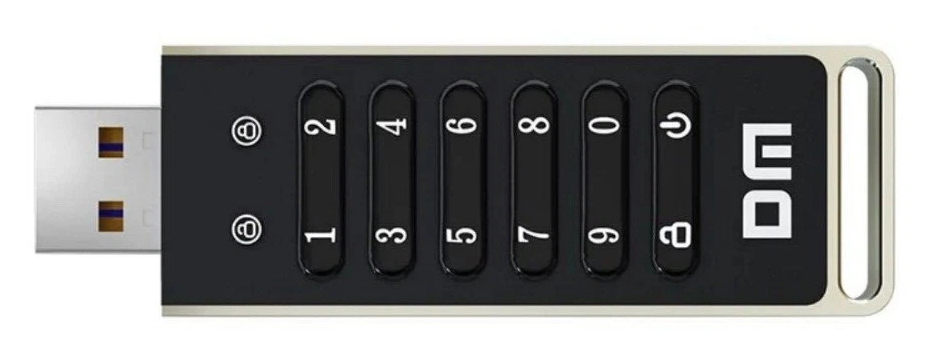
This is a DM FD063 encrypted USB drive. It is claimed to be a 100% all Chinese manufacture which is actually quite unusual – most Chinese stuff uses a mix of sources for each component, but this one explicitly claims it exclusively uses only components designed and manufactured in China. It comes in a very swish all Chinese box which you kinda open like a present. I’ve no idea what the Chinese characters mean, but it is very well presented, and the box you’d actually keep and reuse for something as it’s very nice. The manual is obviously exclusively in Chinese, though they helpfully supply an English translation on the manufacturers website.
Its operation is very simple: you enter the keycode to unlock it. It now acts like a standard USB drive. If you don’t enter the keycode, the device doesn’t appear as a drive to the computer, it just uses it for power. The device is USB 3, and it goes a bit faster than USB 2 though not by a crazy amount. It comes formatted at FAT16 which is madness for a 32 Gb device, so I immediately reformatted it as exFAT.
The drive feels very well made, but as with all flash, it’s not good for long term unpowered data storage. You WILL get bit flips after a few years without power especially if they didn’t use SLC flash, and I can find no mention of what flash type they did use. I’d therefore recommend storing any data on it along with parity files so any bit flips down the line can be repaired.
I did consider another form of flash drive claimed to be better suited for long term unpowered data storage: the Blaustahl which uses Ferroelectric RAM (FRAM), which should retain its contents for two hundred years. But that particular product its microcontroller is a RP2040 whose firmware is – yes, you guessed it – stored in flash. So while your data might be safe, your ability to access it would corrupt slowly over time. I therefore did not find that product compelling, and I’ve gone with the ‘lots of parity redundancy’ on a conventional flash drive approach instead.
The plan is to use these drives as backup storage for encryption keys. So, keys which encrypt important stuff like our personal data exported to cloud backup would themselves be encrypted with a very long password, then put onto these drives which also require a lengthy keycode to unlock, and then we put multiple redundant copies of them in various places to prevent loss in case of fire etc. All our auth is done using dedicated push button hardware crypto keyfobs and never on a device which could be keylogged, but if all of them happened to fail or get lost at the same time which is a worry with any kind of electronics, you need a backup of the failovers if that makes sense.
New game box
Henry got a game box running Batocera which is for classic games emulation back in 2022. We paired it with some 8bitDo controllers, and that worked great for the past three years – especially family Nintendo 64 Mario Kart racing!
However, he’s nine years old now, and his taste in games is maturing and he really wants games more like what Steam provides rather than 80s and 90s arcade type games. His 2022 games box was an Intel N5105 Jasper Lake Mini PC which was perfect for classic games emulation, but it just wasn’t up to playing anything made after about 2010. The newest game that worked was Bulletstorm, and even then with lowest possible graphics settings and even with that you’d get characters flickering on the screen. Anything even a little newer e.g. Mass Effect, it would hang during game startup no doubt due to the Proton Windows games emulation layer not being fully debugged for Intel GPUs.
So for his combined birthday and christmas present this year, we got him a new games box. This one is based on the AMD 7640HS SoC which contains an integrated AMD 760M iGPU and six Zen 4 CPUs. That GPU is second from latest generation, and is RDNA3 based which is a generation newer than the SteamDeck’s RDNA2 AMD GPU. It is a powerful little box for its size and price, and being close enough hardware to SteamOS it runs SteamOS with very little setup work:
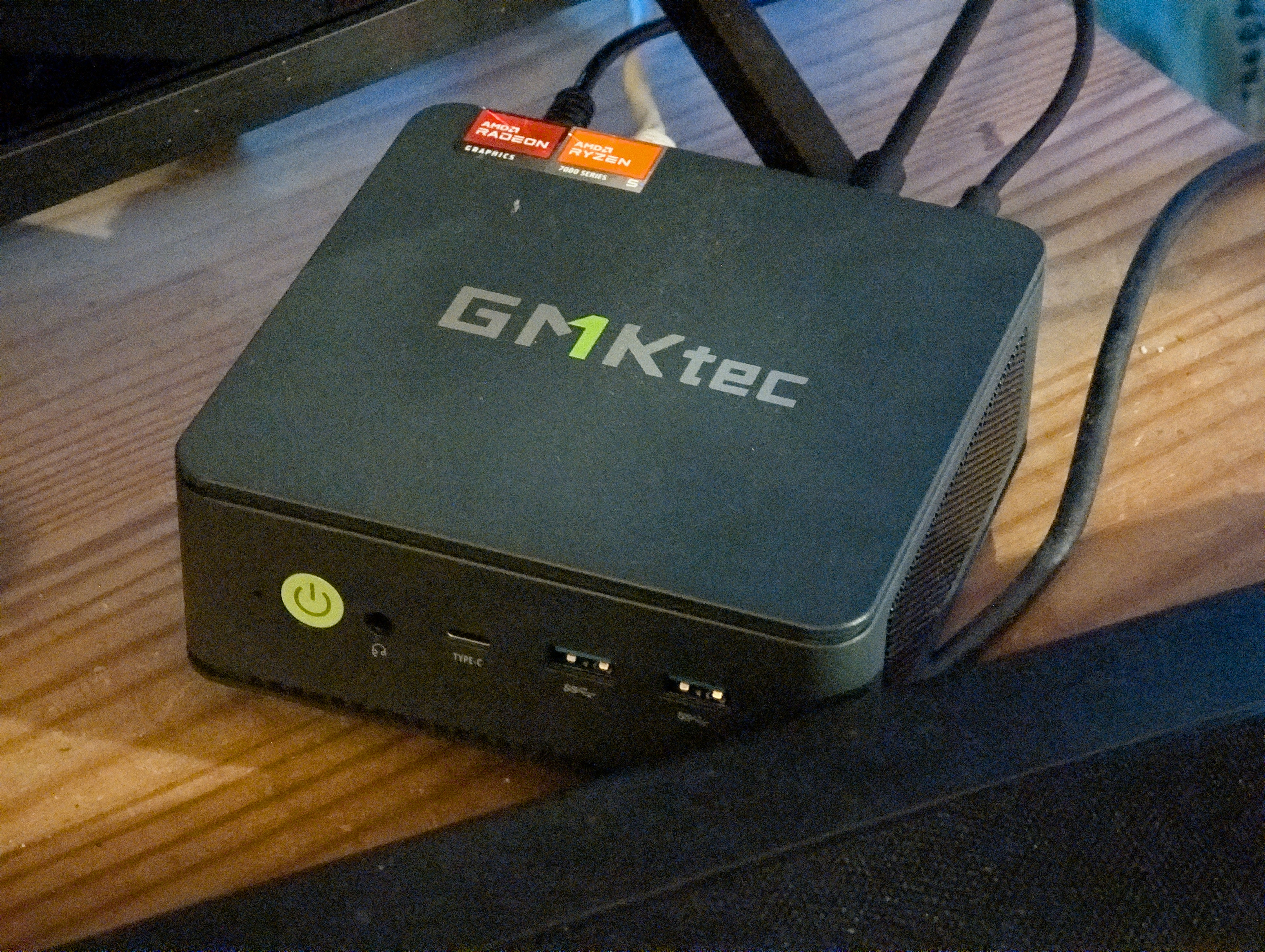
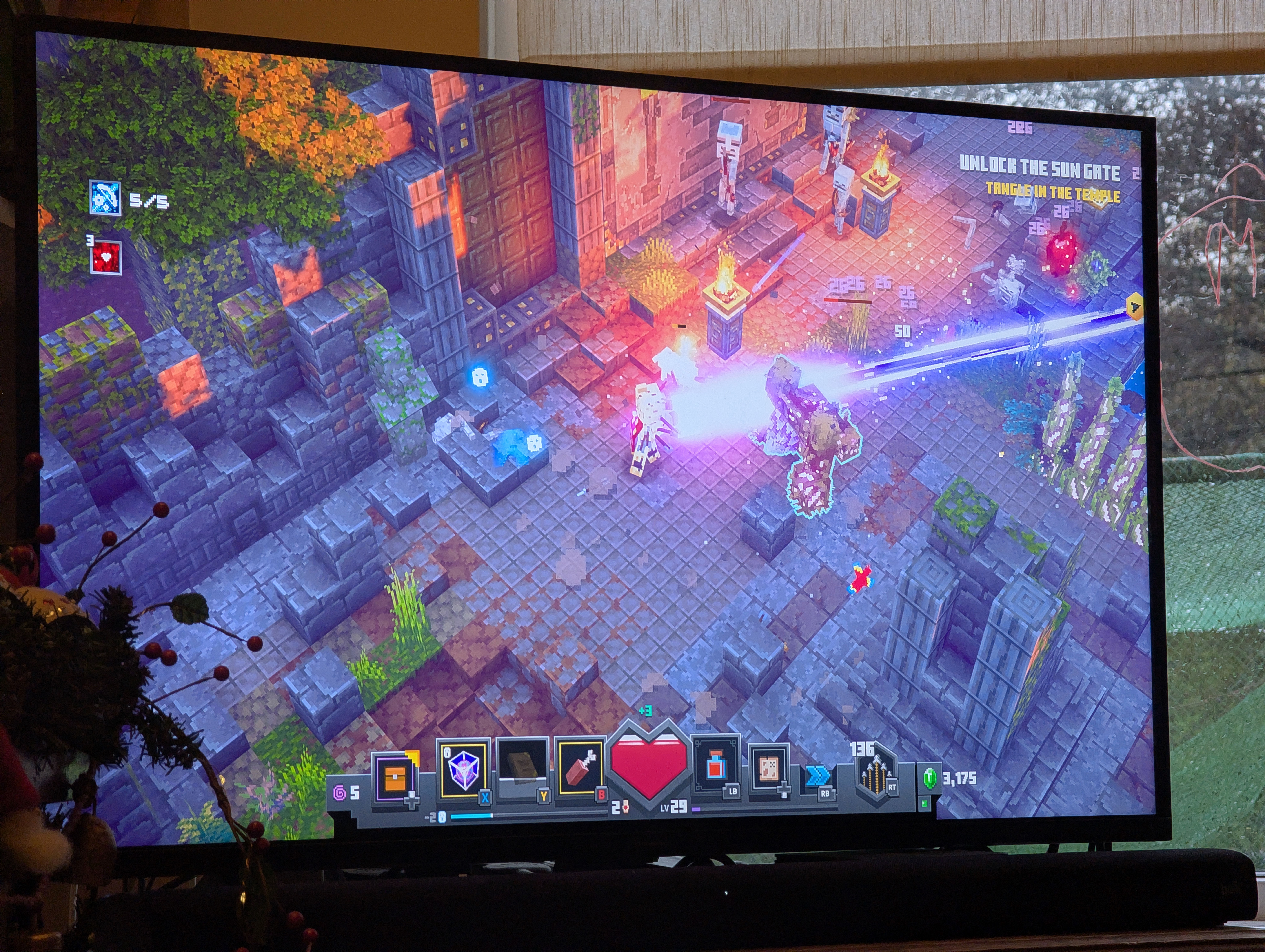
The latter photo is him playing Minecraft Dungeons which is a Windows game. SteamOS not only emulates Windows perfectly, but renders the graphics in glorious HDR. It looks and sounds amazing, as good as a SteamDeck. Yet we paid about half the price of a SteamDeck.
You can install SteamOS yourself and hand tweak it to run on different hardware, or you can have others do the tweaking work for you by using Bazzite. This is a customised edition of SteamOS with more out of the box support for more hardware. Its installer scripts are a bit shonky and buggy so it took me a few attempts to get a working system installed, but once you achieve success it’s an almost pure SteamOS experience. You boot quickly straight into Steam. The 8bitDo controllers if configured to act like Steam controllers just work. Steam games install and usually just work – though I did need to choose a different Proton version to get Mass Effect Legendary edition to boot properly. It pretty much all ‘just works’, all in HDR where the game supports HDR, with the controllers all just working and so does everything else. Quite amazing really. Valve have done such a superb job on Windows game emulation that you genuinely don’t need to care 99.9% of the time. It all just works.
None of the AMD integrated GPUs can push native 4k resolutions at full frame rates for most triple A games. The RAM just doesn’t have enough bandwidth. But it’ll do 1440p beautifully, and unless you have a massive display you won’t notice the sub-4k resolution. Yes I know that the SteamDeck and other consoles can push 4k resolutions, but they have custom AMD GPUs onboard with much faster RAM than a PC. So they have the bandwidth. An affordable mini-PC might have at best DDR5 6400 RAM, ours has 4800 speed RAM. It is what it is at this price point.
Valve are making a second attempt at gaming console hardware in the upcoming Steam Machine. It’ll no doubt be a beast able to run the latest titles at maximum resolution, and at about a thousand euro in cost that’s actually very good value for money compared to building a similarly powerful gaming PC (graphics cards alone cost €800 nowadays if you want something reasonably able to play the very newest games). However, a thousand euro is a lot of money, and Henry’s new games box – which is probably the cheapest modern games capable solution possible – cost €300 in the Black Friday sales.
That’s a lot of money. I remember when consoles sold for €150-200 which doesn’t seem all that long ago (though it actually is!). I guess I think a games console shouldn’t cost more than two weeks of food shopping for a family, though given the prices in the stores today maybe they’re not that overpriced after all. A SteamDeck can be had for twice that price, and perhaps it’s the better buy given all it can do and how much more flexible it is. Still, €600 isn’t growing on trees right now after six months without income. Absolute costs matter too. Right now €300 is a lot.
I’m feeling a bit of a shift occurring in the gamimg world. I have never – at any point – found a Playstation or an Xbox worth buying. The games were very expensive, the hardware was usually far below what a PC could do for similar money, and it always seemed to me bad value for money – except for those games which didn’t make it from console to PC.
However, since covid things have changed. PC graphics cards are now eye wateringly expensive – the absolute rock bottom modern graphics card for a PC costs what Henry’s whole games PC costs thanks to AI demand driving up the cost of all graphics cards to quite frankly silly money for what you get. That has turned PC gaming from the bang for the buck choice into … well, not good value for money. Playstation and Xbox still suffer from excessively expensive games, a locked in ecosystem, and lack of support for old but still really excellent (but unprofitable) games.
Valve have tried to launch a Steam based console before, and it went badly, so that hardware got cancelled. Their portable console the SteamDeck has done well enough to be viable, though I still personally find it too expensive an ask for me to consider buying one. This second attempt may well pan out for the simple reason that all other alternatives are now worse in a not seen until now way. I wish Valve all the best success in that, Playstation and Xbox could do with being disrupted.
Still though, if the minimum price to play the latest triple A games is now €1,000, that suggests a lot fewer triple A games being sold in the future. Grand Theft Auto V is currently the best selling triple A video game of all time, and GTA VI is expected to launch in 2026 though it may get delayed until 2027. From the trailers, it will be exceedingly popular, but I do wonder if it can exceed GTA V sales when the minimum price to play is a grand of your increasingly scarce disposable income.
Who knows, maybe between now and the GTA VI launch date there will be a collapse in AI and GPUs return to reasonable pricing. If that happens, I for one intend to upgrade to ‘GTA VI ready’ like I did for GTA V. Otherwise, I’ll be waiting a few years until the necessary hardware upgrades get cheaper.
Another portable monitor
I had an idea for what to do with Henry’s former games box, as it’s a powerful little PC in its own right. Sometimes I need to do stuff where a remote control trojan being on my computer would be unhelpful, so it occurred to me that Henry’s old mini-PC could be turned into a completely clean PC running something hard to hack into, like ChromeOS.
It turns out – and I didn’t know this before – that Google actually officially supply ChromeOS for standard PC hardware as ChromeOS Flex. I installed this onto Henry’s old mini-PC and it worked a treat first time: it boots into ChromeOS, and it’s exactly as if you were on a Chromebook.
ChromeOS has some advantages over most other operating systems, specifically that its root filing system is immutable and nowhere else can execute programs. If you wanted to get a keylogger or remote control trojan onto ChromeOS, you’d need to do one of:
- Use a zero day weakness to get your program into the immutable root filing system in a way that the bootloader couldn’t detect. This would be hard, as secure boot is turned on.
- Get yourself into the firmware of one of the hardware devices. This is hard on a normal Linux box, never mind on ChromeOS.
- Get yourself into the Chrome browser. This is hard if doing it without getting noticed – Chrome has exploits known only to the dark web and to governments, but as soon as you use them they get patched which means you only use them for very high value targets i.e. not me.
- Get yourself into a Chrome browser extension. This is relatively easy, it is by far the easiest way of attacking ChromeOS. There are Chrome browser extensions which key log anything typed into the web browser, there are also ones which can remote control within the web browser. I am unaware of anything which can get outside of the web browser however. And, obviously, if you don’t install any browser extensions then you’re fine.
- Supply chain attack: if you could get a compromised OS image pushed to the ChromeOS device next OTA update, that would work. That’s probably hard for a single device, so you’d need to attack all devices. Or get Google to do it for you, which you can absolutely do if you’re the government. Again, you’d need to be a very high value target to the government for that to happen, and as far as I am aware I am not nor do I expect to be.
Anyway, while one could faff around with swapping over HDMI leads whenever one wants to use this clean PC, that seemed like temptation to not bother using it through hassle so if I bought another portable monitor while the heavy discounts were available, that felt a wise choice. Unlike last year where I really needed a touchscreen, this time round I don’t and therefore I had a lot more choice at my rock bottom price point.
You can get a 1080p portable monitor with IPS panel for under €50 inc VAT delivered nowadays. Madness. But reviewers on the internet felt that for only a little more money you could get a higher resolution display which was much brighter and that was better bang for the buck. I did linger on a 14 inch monitor with a resolution of 2160x1440 for €61 inc VAT delivered, but it was not an IPS panel, and it didn’t claim to be bright (which with Aliexpress claims inflation meant it was really likely to be quite a dim display). It also didn’t have a stand, which felt likely to be infuriating down the line.
I eventually chose a 13.5 inch monitor with a resolution of 2256x1504 which claims to be DisplayHDR 400 capable for €83 inc VAT delivered. That has 64% more pixels than a 1080p display, so it should be quite nice to look at up close. To actually be able to put out 400 nits of brightness I think that ten watts of power from USB feels extremely unlikely, so assuming it actually is that bright it’ll need extra power. It does have a decent built in fold out stand, so for that alone I think the extra money will be worth it. It’s also still in transit, so I can’t say more for now. But when it turns up expect a show and tell here.
| Go to previous entry | Go to next entry | Go back to the archive index | Go back to the latest entries |